

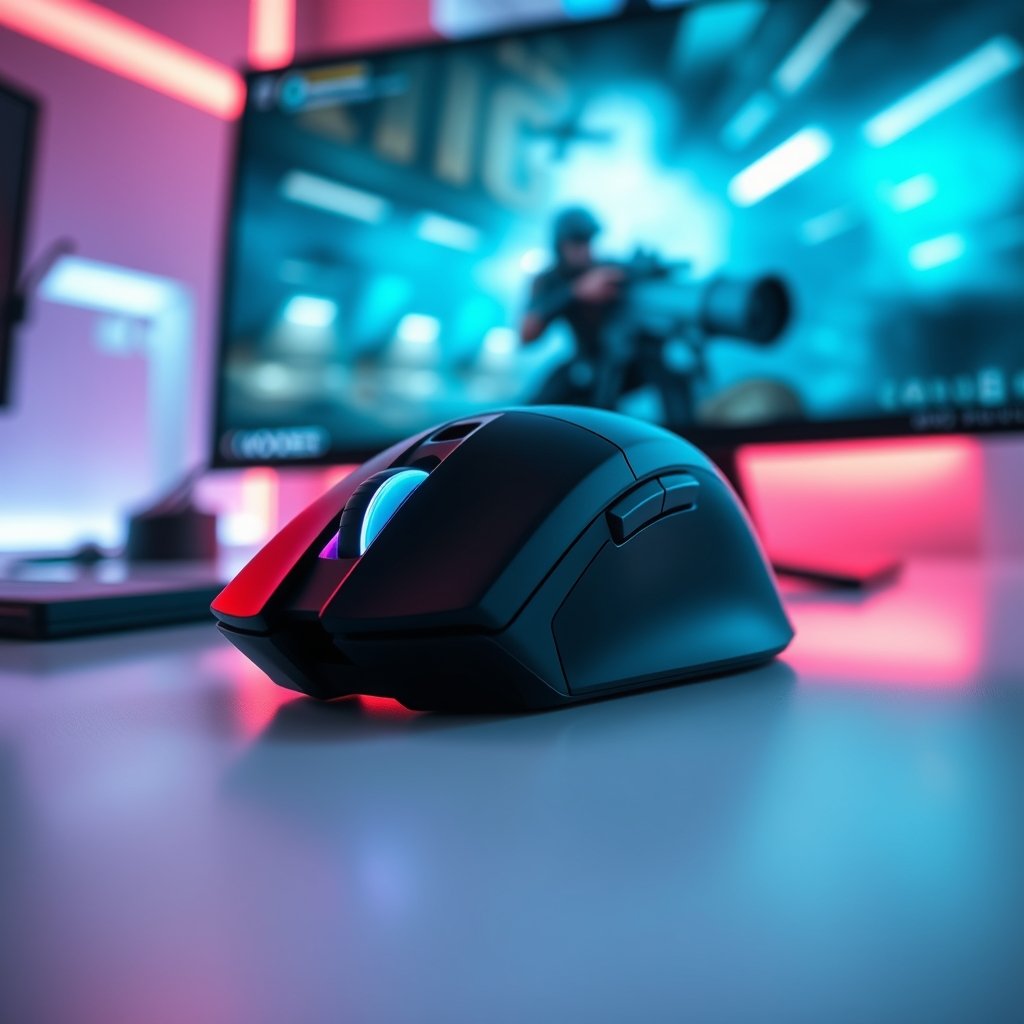
In the fiercely competitive world of PC gaming, every millisecond and every precise movement can be the difference between victory and defeat. While wired mice have long been the gold standard for competitive play, advancements in wireless technology have blurred the lines, offering freedom without compromise. Today, we’re diving deep into the GamerAspect Strikeforce Pro Wireless Gaming Mouse, a peripheral designed to sever the cord without sacrificing performance. Is this the untethered weapon you’ve been waiting for?
GamerAspect Strikeforce Pro Wireless Gaming Mouse: Product Overview
The GamerAspect Strikeforce Pro is engineered for serious gamers who demand peak performance without the constraints of a cable. It’s a high-performance wireless gaming mouse aimed at esports enthusiasts, competitive players, and anyone who values a clean, clutter-free desk setup without compromising on speed, accuracy, or responsiveness. It promises ultra-low latency, exceptional tracking, and a comfortable design built for extended gaming sessions. If you’re tired of cable drag but unwilling to settle for anything less than professional-grade precision, the Strikeforce Pro is explicitly designed with you in mind.
Key Features & Specifications
Ultra-Fast Wireless Connectivity
At the heart of the Strikeforce Pro is its proprietary 2.4 GHz wireless technology. This isn’t your average office mouse wireless; it’s meticulously optimized for gaming, boasting a 1ms report rate that ensures your every click and flick is registered instantly, mirroring the responsiveness of a wired connection. This low-latency performance is crucial for fast-paced games where reaction time is everything.
High-Precision Optical Sensor
Equipped with GamerAspect’s custom-tuned optical sensor, the Strikeforce Pro offers a staggering DPI range, typically up to 26,000 DPI. This sensor delivers pixel-perfect tracking, allowing for incredibly precise movements even at high speeds. It also features advanced lift-off distance (LOD) customization, preventing unwanted cursor movement when you reposition the mouse.
Lightweight & Ergonomic Design
Weighing in at a mere 65 grams, the Strikeforce Pro is designed for agility and comfort. Its symmetrical form factor, while often preferred by claw and fingertip grip users, also accommodates various hand sizes and grip styles comfortably. The lightweight construction reduces fatigue during marathon gaming sessions, letting you maintain peak performance for longer.
Long-Lasting Battery Life
Nobody wants their mouse dying in the middle of a clutch play. The Strikeforce Pro boasts an impressive battery life, often exceeding 70 hours on a single charge with RGB lighting off, and a respectable amount with it on. It also supports fast charging, getting you back into the game quickly, and can be used wired while charging.
Customizable Buttons & RGB Lighting
The mouse features 6 programmable buttons, allowing you to assign macros, rebind keys, and tailor your controls to your specific gaming style via the GamerAspect software. Integrated RGB lighting, while subtle on this performance-focused mouse, adds a touch of personalization and can be synchronized with other GamerAspect peripherals.
Gaming Performance & Real-World Use
Putting the GamerAspect Strikeforce Pro through its paces reveals its true capabilities. In competitive FPS titles like Valorant and CS:GO, the wireless connection felt indistinguishable from a wired one. There was no perceptible input lag, and the sensor tracked flawlessly, allowing for precise flick shots and consistent tracking. The lightweight design truly shines here, enabling quick, effortless adjustments and reducing strain during intense engagements.
For MOBA players in League of Legends or Dota 2, the customizable buttons are a boon, allowing quick access to items or abilities. The smooth glide provided by the PTFE feet, combined with the low weight, makes micro-adjustments a breeze, essential for last-hitting or kiting. Even in more relaxed RPGs or strategy games, the comfort and freedom of wireless are appreciated, making for a more enjoyable overall experience.
Battery life is genuinely impressive. We found ourselves going for days, even weeks, of regular use without needing a recharge. The included flexible charging cable is also a thoughtful addition, allowing you to seamlessly switch to wired mode if you forget to charge, without feeling like you’re dragging a brick.
Pros and Cons
Pros:
- Exceptional Wireless Performance: Truly wired-like responsiveness with no perceptible lag.
- Featherlight Design: Extremely comfortable and reduces fatigue during long sessions.
- High-Precision Sensor: Flawless tracking up to 26,000 DPI for pixel-perfect accuracy.
- Outstanding Battery Life: Minimizes charging interruptions.
- Ergonomic & Ambidextrous-Friendly: Comfortable for various grip styles and hand sizes.
- Customizable: Programmable buttons and software for fine-tuning.
Cons:
- Premium Price Tag: Its advanced features come at a higher cost.
- Slightly Limited Buttons: Some MMO players might prefer more side buttons.
- No Dock Included: Charging is via cable, a dock would be a nice convenience at this price point.
- RGB is Subtle: Not the most vibrant RGB for those who prioritize aesthetics.
Who Should Buy This Product
The GamerAspect Strikeforce Pro is ideal for:
- Competitive Gamers: Especially those playing FPS and MOBA titles where speed, precision, and low latency are paramount.
- Esports Enthusiasts: Professional-grade performance without the cable hindrance.
- Gamers Seeking Comfort: Its lightweight and ergonomic design make it perfect for extended play sessions.
- Minimalist Setups: For those who desire a clean, cable-free desk environment.
Comparison: Strikeforce Pro vs. Other GamerAspect Mice
While the Strikeforce Pro stands out for its wireless performance and ultra-light design, it’s worth comparing it to other excellent mice available on GamerAspect:
Vs. GamerAspect Nova Xtreme RGB Gaming Mouse
The Nova Xtreme is a fantastic wired alternative for those who prioritize vibrant RGB lighting and a slightly more aggressive, ergonomic right-handed design. It often features more extensive RGB zones and a slightly heavier build, which some gamers prefer for stability. While its sensor performance is also top-tier, the Strikeforce Pro’s main advantage is its wireless freedom and lighter weight, making it more agile for twitch-based games. If you want maximum RGB flair and a wired connection is fine, the Nova Xtreme is a strong contender. If wireless and extreme lightness are your priorities, the Strikeforce Pro wins.
Vs. GamerAspect Sentinel Ergonomic Gaming Mouse
The Sentinel focuses heavily on ergonomic comfort, particularly for right-handed palm grip users. It typically features a more pronounced curve and thumb rest, designed for maximum hand support over long periods. While it might be a bit heavier than the Strikeforce Pro, its comfort for specific grip styles is unmatched. The Sentinel often comes as a wired mouse, though some wireless variants may exist. If your primary concern is absolute ergonomic comfort for a palm grip, the Sentinel is excellent. For pure competitive agility and wireless freedom, the Strikeforce Pro is the better choice.
Frequently Asked Questions (FAQs)
Q: Is the Strikeforce Pro compatible with both PC and Mac?
A: Yes, the GamerAspect Strikeforce Pro is compatible with both PC (Windows) and Mac operating systems. The customization software is primarily Windows-based, but the mouse functions perfectly on Mac.
Q: Can I use the Strikeforce Pro while it’s charging?
A: Absolutely! The mouse comes with a flexible USB-C cable that allows you to use it in wired mode while it charges, ensuring you never have to stop gaming.
Q: Does it have onboard memory for profiles?
A: Yes, the GamerAspect Strikeforce Pro features onboard memory, allowing you to save your custom DPI settings, button assignments, and lighting preferences directly to the mouse. This means you can take your settings with you even if you switch computers.
Q: How do I adjust the DPI settings?
A: DPI can be adjusted on-the-fly using the dedicated DPI button located on the mouse, or more precisely through the GamerAspect customization software, which allows for granular control and multiple profile creation.
Your Next Untethered Advantage
The GamerAspect Strikeforce Pro Wireless Gaming Mouse represents the pinnacle of wireless gaming technology. It seamlessly blends the freedom of wireless with the uncompromising performance demanded by competitive gamers. Its featherlight design, ultra-responsive sensor, and impressive battery life make it an absolute joy to use, whether you’re climbing the ranks in your favorite FPS or simply enjoying a long gaming session. While it comes with a premium price tag, the investment is justified for those who prioritize top-tier performance and a clutter-free setup. If you’re ready to cut the cord without cutting corners on your game, the Strikeforce Pro is an exceptional choice that will elevate your play. Don’t just take our word for it; experience the difference yourself and Check price on GamerAspect today!