

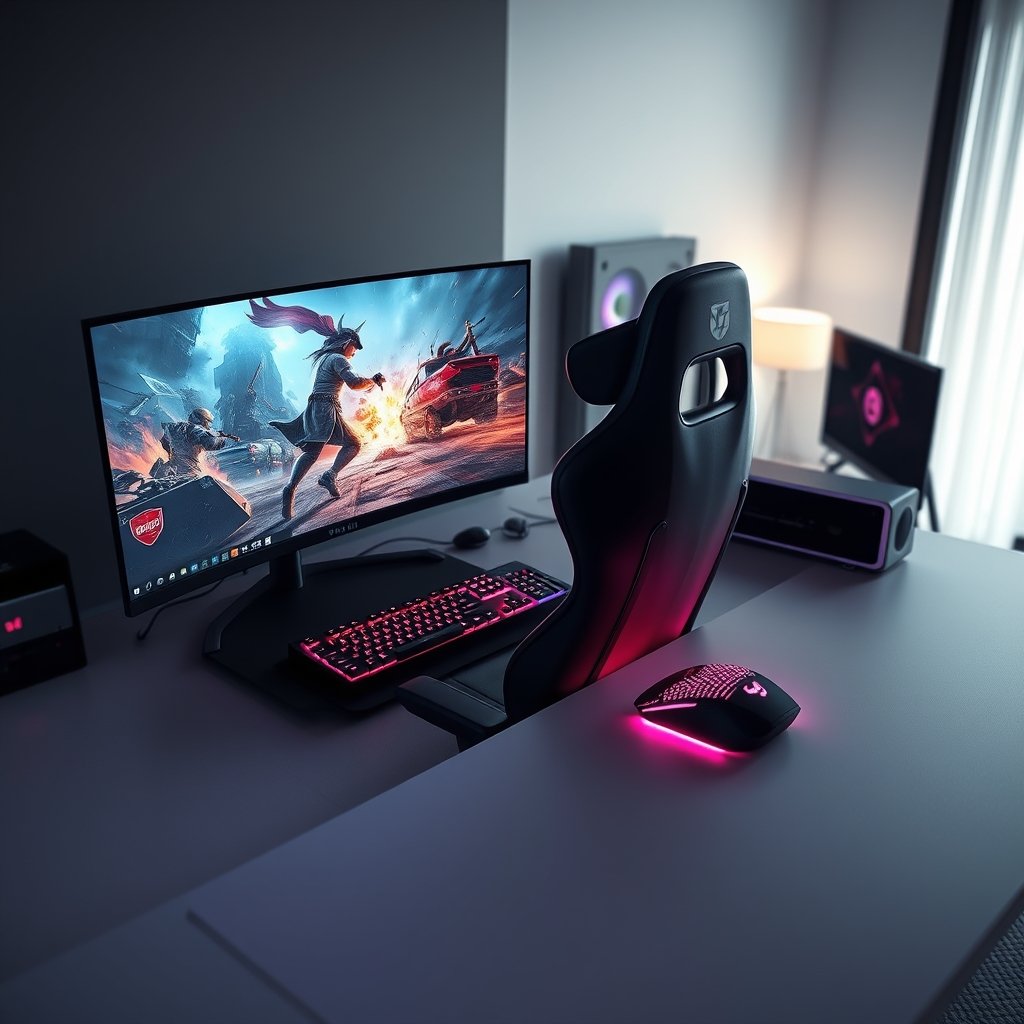
Embarking on the thrilling journey of PC gaming is an exciting adventure, and for many, the first step is assembling that perfect battle station. As a budding enthusiast, navigating the vast world of hardware and peripherals can feel daunting, but fear not! This comprehensive PC gaming setup guide for beginners is designed to demystify the process, helping you build a rig that provides both breathtaking immersion and competitive edge from day one. In 2026, the landscape of gaming is more vibrant and demanding than ever, making a well-chosen setup crucial for an unparalleled experience.
Why Your First Gaming Setup Matters More Than Ever in 2026
The gaming world evolves at an incredible pace. New titles continually push the boundaries of graphical fidelity and processing power, demanding more from your hardware. A thoughtfully constructed first gaming rig isn’t just about playing games; it’s about future-proofing your investment, ensuring smooth frame rates, crisp visuals, and responsive gameplay. Whether you dream of exploring expansive open worlds, dominating in esports, or simply enjoying your favorite titles with friends, the right setup provides the foundation for countless hours of enjoyment and improvement.
Beyond raw power, ergonomics and immersion play a huge role. Long gaming sessions require comfort, and truly getting lost in a game’s atmosphere depends on high-quality visuals and audio. Investing in the right gear from the start saves you headaches and upgrades down the line, allowing you to focus on what truly matters: the game.
The Essential Components of Your PC Gaming Setup
Before diving into specific product recommendations, let’s briefly outline the core components that make up any formidable gaming station. While the PC itself (CPU, GPU, RAM, Storage) is the heart, the surrounding peripherals are its limbs and senses, crucial for interaction and immersion. We’ll focus on these external elements that complete your beginner PC gaming setup.
Visuals That Astound: The Gaming Monitor
Your monitor is your window into the game world. For a truly immersive and responsive experience, look for a display with a high refresh rate (120Hz, 144Hz, or even 240Hz), low response time (1ms), and appropriate resolution (1080p or 1440p are excellent starting points). A good gaming monitor minimizes input lag and motion blur, making fast-paced action feel incredibly smooth.
Precision and Control: Mouse & Keyboard
These are your primary interfaces with the game. A responsive gaming mouse with customizable DPI settings and a comfortable grip is vital for accuracy, especially in competitive titles. Similarly, a mechanical gaming keyboard offers superior tactile feedback and durability, enhancing both typing and gaming performance. To delve deeper into these crucial peripherals, check out our expert guides on The Best Keyboards for PC Gaming Performance and Choosing the Best PC Gaming Mouse for FPS Dominance.
Hear Every Footstep: Gaming Headsets
Audio is half the experience. A quality gaming headset provides crystal-clear sound, allowing you to pinpoint enemy locations, appreciate game soundtracks, and communicate effectively with teammates. Comfort, microphone clarity, and soundstage are key features to consider. For an in-depth look, read our article on The Best PC Gaming Headsets for Ultimate Immersion.
Comfort is King: Gaming Chairs & Desks
Don’t underestimate the importance of ergonomics. A supportive gaming chair and a spacious, sturdy gaming desk are crucial for maintaining comfort and good posture during extended play sessions. They prevent fatigue and potential strain, allowing you to focus on the game without distraction.
Recommended PC Gaming Gear for Your First Setup
To help you get started, here are some top-tier recommendations available right here on GamerAspect, designed to offer a fantastic balance of performance, features, and value for your initial PC gaming setup.
GamerAspect Aurora 27-inch 144Hz QHD Gaming Monitor
- Key Features & Specifications: 27-inch IPS panel, QHD (2560×1440) resolution, 144Hz refresh rate, 1ms GtG response time, Adaptive Sync compatible, HDR support.
- Real-World PC Gaming Performance & Use Cases: Experience incredibly smooth visuals in fast-paced shooters like ‘Valorant’ or ‘Apex Legends’, while enjoying the crisp detail of open-world RPGs. The QHD resolution offers a significant upgrade over 1080p without being overly demanding on your GPU for a beginner setup.
- Pros: Excellent balance of resolution and refresh rate, vibrant colors, wide viewing angles, G-Sync/FreeSync compatible for tear-free gaming.
- Cons: QHD requires a slightly more capable graphics card than 1080p.
- Buying Advice for PC Gamers: This monitor is a fantastic sweet spot for beginners looking for a premium experience without breaking the bank. It’s versatile enough for both competitive and immersive single-player games. View on GamerAspect
GamerAspect Sentinel Ergonomic Gaming Chair
- Key Features & Specifications: High-density cold foam padding, breathable PU leather, 4D adjustable armrests, multi-tilt mechanism, lumbar and neck support pillows, heavy-duty steel frame.
- Real-World PC Gaming Performance & Use Cases: Designed for long hours of comfortable gaming, reducing fatigue and promoting better posture. The adjustability allows you to tailor it perfectly to your body, whether you’re leaning back to watch a cinematic or sitting upright for intense competitive play.
- Pros: Superior ergonomic support, highly adjustable, durable construction, sleek design.
- Cons: Premium price point compared to basic office chairs.
- Buying Advice for PC Gamers: Don’t compromise on comfort. A good gaming chair is an investment in your health and enjoyment. This chair is perfect for those planning extended gaming sessions and seeking maximum support. Check price on GamerAspect
GamerAspect Apex RGB Gaming Desk
- Key Features & Specifications: Large carbon fiber textured surface (60×30 inches), sturdy Z-shaped steel frame, integrated RGB lighting, headphone hook, cup holder, cable management grommets.
- Real-World PC Gaming Performance & Use Cases: Provides ample space for your monitor, PC, peripherals, and accessories, keeping your setup organized and clutter-free. The integrated RGB lighting adds a stylish flair, while the cable management features ensure a clean aesthetic.
- Pros: Spacious, robust build quality, convenient features (cup holder, headphone hook), customizable RGB lighting.
- Cons: Assembly required, can be heavy.
- Buying Advice for PC Gamers: A dedicated gaming desk is essential for a clean, organized, and functional setup. This desk offers excellent value with its size and gamer-centric features, making it ideal for your first dedicated gaming space. Explore on GamerAspect
Setting It All Up: Beyond the Box
Once you have your core components, the next step is assembly and organization. Good cable management is key to a clean aesthetic and better airflow. Use zip ties or Velcro straps to bundle cables neatly, routing them along the back of your desk. Install all necessary drivers for your graphics card, monitor, and peripherals to ensure optimal performance. Take the time to explore your monitor’s settings for ideal brightness, contrast, and color calibration.
Finally, dive into your games! Don’t be afraid to experiment with in-game graphics settings to find the perfect balance between visual fidelity and frame rate. Most modern games offer a range of presets, from ‘Low’ to ‘Ultra’, allowing you to fine-tune your experience based on your PC’s capabilities.
Frequently Asked Questions About Your First PC Gaming Setup
How much does a good PC gaming setup cost for beginners?
A decent entry-level PC gaming setup (including the PC itself, monitor, and basic peripherals) can range from $800 to $1,500. A more competitive or high-fidelity setup typically starts around $1,500 and can go upwards of $2,500 or more. Focusing on a balanced approach, prioritizing the monitor and comfortable ergonomics, offers the best value.
Do I need a 4K monitor for my first gaming setup?
While 4K offers incredible detail, it’s generally not recommended for a beginner’s first setup. 4K monitors require significantly more powerful (and expensive) graphics cards to run games smoothly at high frame rates. A 1080p or 1440p monitor with a high refresh rate (120Hz-144Hz) provides a much better balance of visual quality and performance for most new gamers, offering a smoother and more responsive experience.
What’s the most important component for gaming performance?
For raw gaming performance, the Graphics Processing Unit (GPU) is generally the most critical component. It handles rendering all the visuals you see on screen. However, a powerful GPU needs to be balanced with a capable CPU to avoid bottlenecks, sufficient RAM for multitasking, and a fast SSD for quick load times. For external components, a high refresh rate monitor significantly impacts the perceived smoothness of gameplay.
Building your first PC gaming setup is an exciting milestone, opening the door to endless digital adventures. By carefully selecting your core components and peripherals, you’re not just buying gear; you’re investing in an unparalleled gaming experience. Take your time, consider your budget and needs, and remember that GamerAspect is here to support every step of your journey with top-tier products and expert advice. Ready to elevate your play? Start exploring our extensive catalog of gaming essentials today!